If the day an order arrives matters as much as the product, a cart note is not enough. Florists, bakeries, grocery stores, gift shops, pharmacies, pet suppliers, restaurants, and home-delivery businesses all need customers to pick a real delivery date — before checkout — so you can plan vans, kitchen capacity, and staff.
This guide is written for those merchants. For each store type you’ll see the problem, a practical calendar setup, and which Order Delivery Date Lite features help most.
Florists
The problem: Bouquets for birthdays, anniversaries, and funerals must arrive on a specific day. Same-day chaos and Sunday deliveries burn out your team.
Suggested setup:
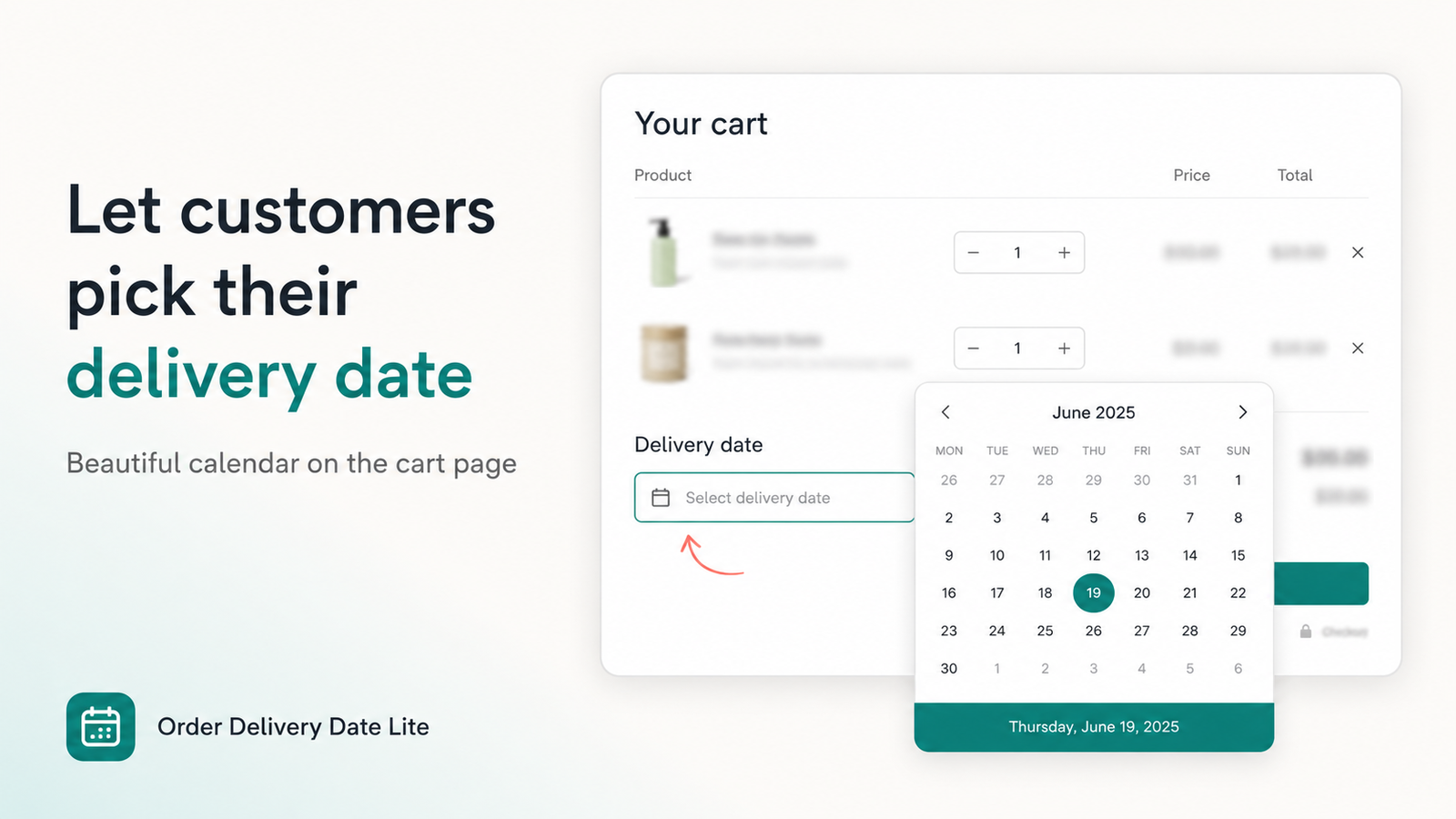
- Block Sundays (and any non-delivery weekdays)
- Block holidays where wholesale flowers aren’t available
- Set a cutoff (e.g. 2:00 PM) so late orders move to the next day
- Offer morning / afternoon time slots for route planning
- Require a date before checkout so no “surprise” gift orders slip through
Blocked days Cutoff time Time slots Required date
Bakeries
The problem: Cakes and custom bakes need prep time. Customers who expect “tomorrow” when you need 48 hours create refunds and stress.
Suggested setup:
- Minimum lead time of 1–3 days for custom items
- Per-day time slots if pickup windows differ from delivery
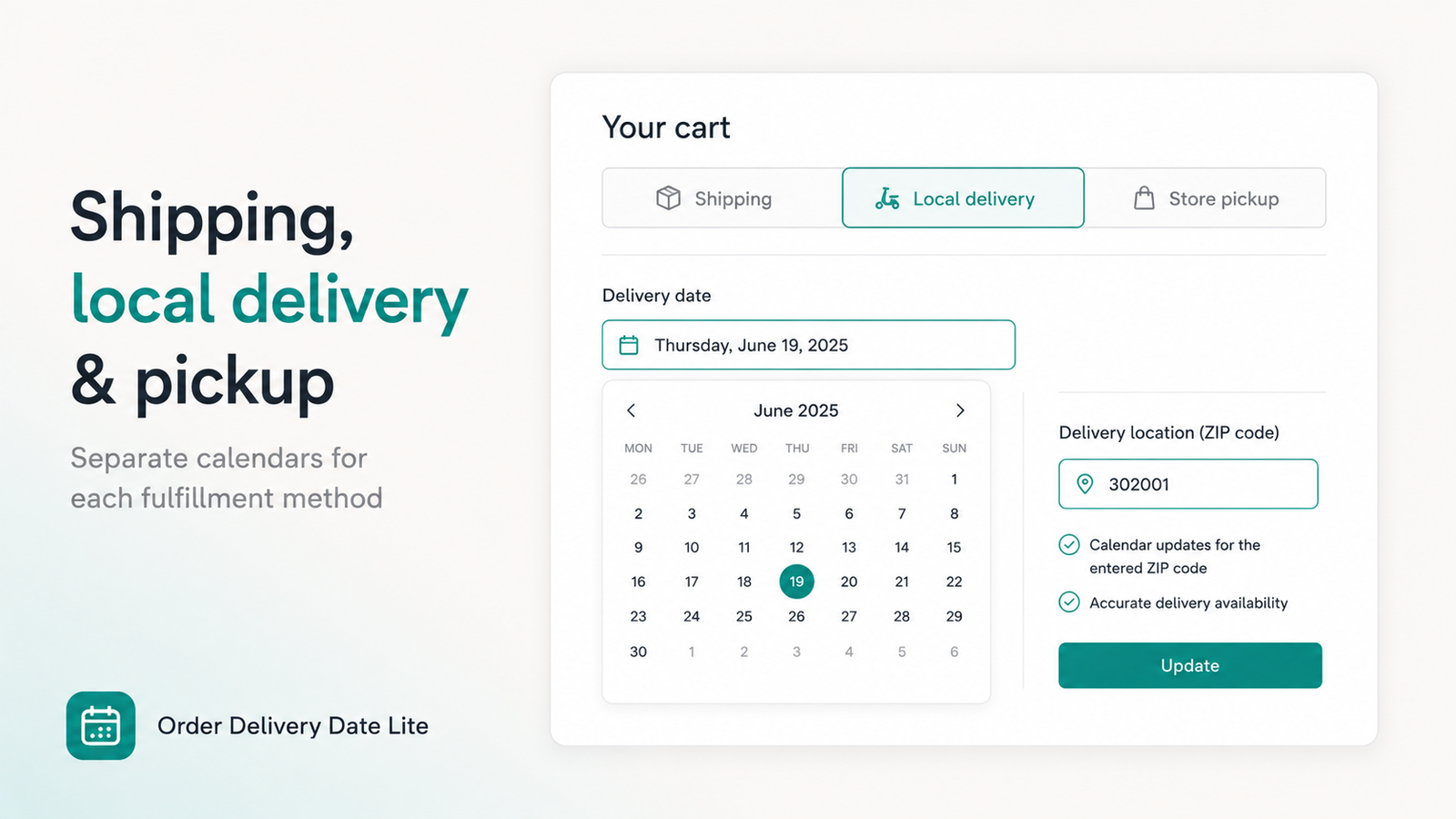
- On Pro: separate store pickup vs local delivery calendars
- Block days the bakery is closed for production
Lead time Pickup vs delivery Time slots
Food & Grocery
The problem: Perishables and cold-chain routes need predictable windows. Open-ended “sometime this week” doesn’t work for vans or fridge capacity.
Suggested setup:
- All-day or multi-window time slots aligned with delivery runs
- Cutoff so same-day slots close when the van is full
- On Pro: local delivery zip / postal validation before the calendar unlocks
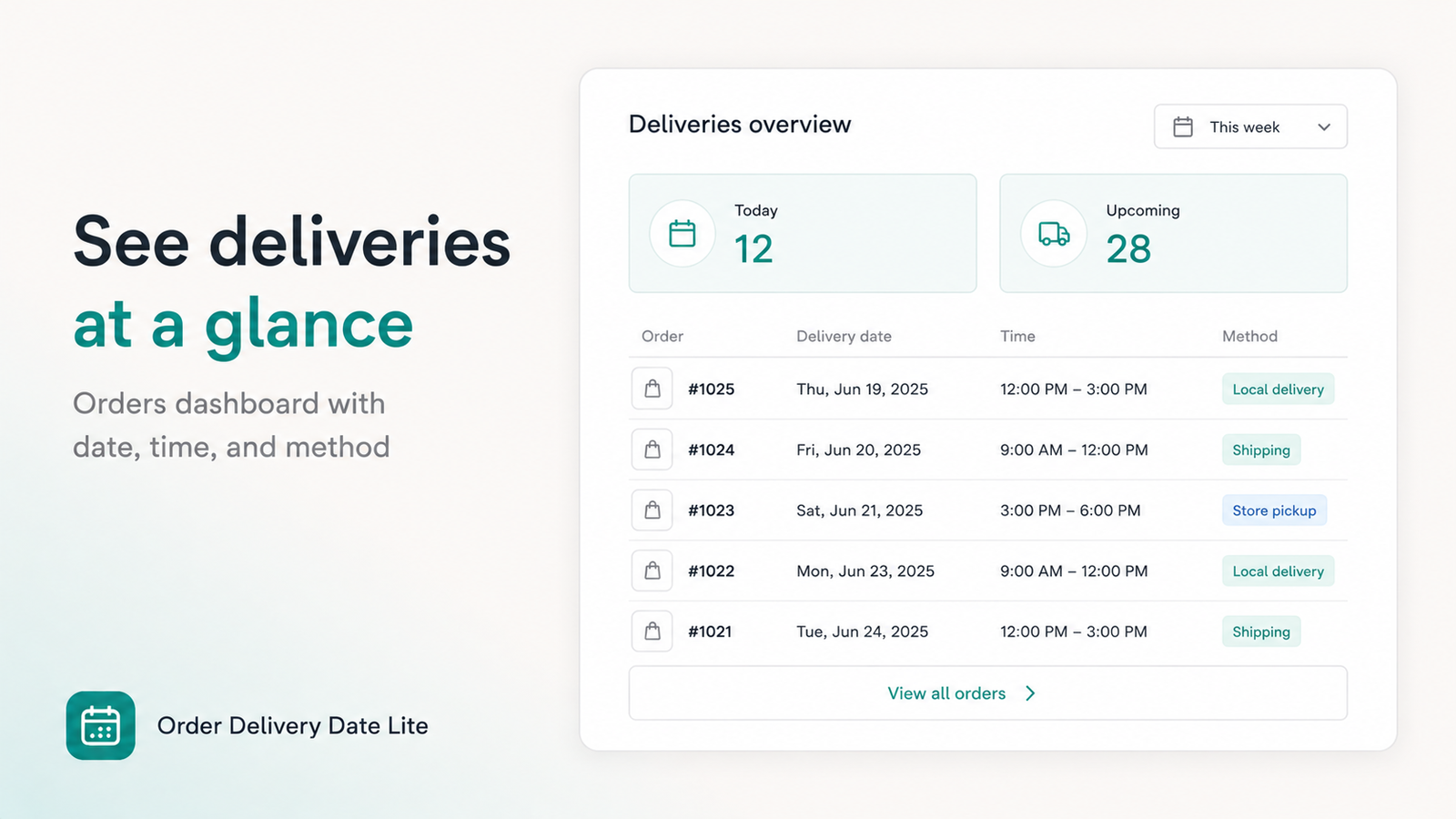
- Orders dashboard to see today’s and upcoming deliveries at a glance
Time slots Cutoff Zip validation Dashboard
Gift Shops
The problem: Occasion-driven purchases (Valentine’s, Mother’s Day, Christmas) spike around fixed dates. Overbooking the day before a holiday is common.
Suggested setup:
- Block peak days when capacity is full — better than refunding later
- Show the date on thank-you / order email so the gift-giver has confirmation
- Optional thank-you missing-date recovery if someone skipped the cart calendar (Plus / Pro)
Blocked holidays Thank-you display Order emails
Home Delivery
The problem: Customers must be home for bulky or high-value items. Missed deliveries mean re-attempts and support tickets.
Suggested setup:
- Require date and time slot
- Disable days your drivers don’t run
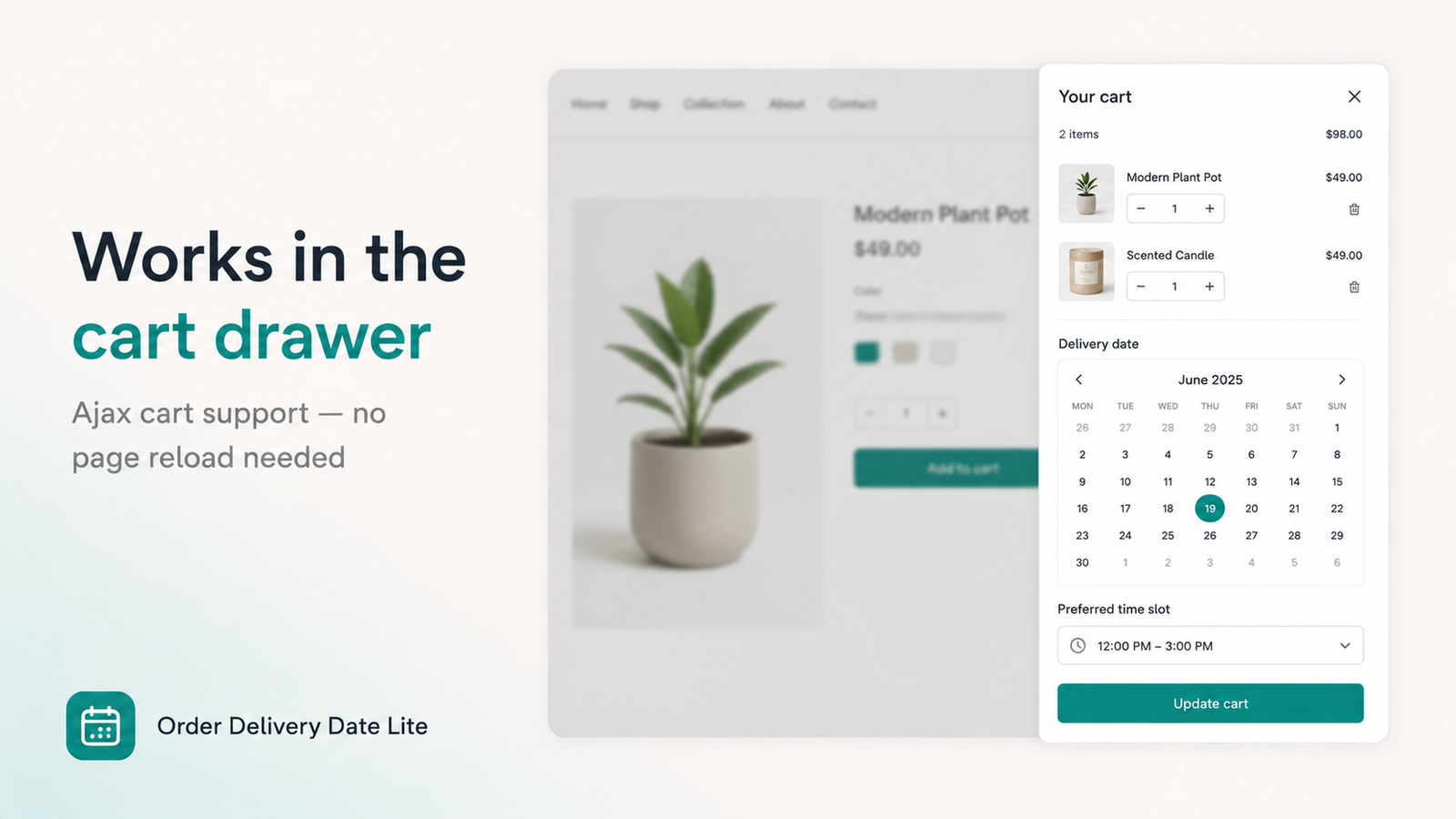
- Use cart drawer support so mobile shoppers pick a date without leaving the ajax cart
- Checkout validation so they can’t pay without a selection
Required date + time Cart drawer Checkout validation
Pharmacy
The problem: Refills and wellness products may need local drop-off on days patients are available. Unstructured notes get missed.
Suggested setup:
- Clear date picker with limited weekday availability
- Conservative lead time if pharmacist review is needed
- Keep delivery details on the order for the packing desk
- Avoid over-sharing clinical detail in labels — keep wording simple (“Preferred delivery date”)
Weekday rules Lead time Order tags / attributes
Pet Supplies
The problem: Heavy food bags, litter, and subscription-style reorders often need a day when someone is home. Auto-ship without a date creates porch-theft risk for some areas.
Suggested setup:
- Weekend or evening slots if your customers work daytime jobs
- Local delivery method with postal codes (Pro) for service-area stores
- Store pickup calendar for customers who prefer click-and-collect
Evening slots Local delivery Store pickup
Restaurant
The problem: Catering trays, party packs, and large takeout orders need kitchen timing. A vague “ASAP” note doesn’t protect prep capacity.
Suggested setup:
- Time slots that match kitchen waves (lunch / dinner)
- Cutoff before peak service so late catering doesn’t break the line
- Pickup vs delivery as separate methods on Pro
- Optional checkout calendar on Plus if most orders skip the cart page
Kitchen time slots Cutoff Pickup / delivery
Shared tip for all of these stores: Start with Active status + theme app embed, block closed days, add a cutoff, then turn on required date. Add time slots and Pro methods once the basics are stable.
Quick comparison
- Date-critical occasions: Florists, gift shops → blocked holidays + required date
- Prep-time businesses: Bakeries, restaurants → lead time + cutoff + slots
- Route businesses: Grocery, home delivery, pets → slots + zip / method picker
- Appointment-style drop-off: Pharmacy, pets, home delivery → required time slot
Frequently Asked Questions
Which Shopify stores need a delivery date picker?
Any store where the delivery day matters — florists, bakeries, grocery, gift shops, pharmacies, pet supplies, restaurants, and home-delivery businesses.
Can I block Sundays for florists and bakeries?
Yes. Disable weekdays and block specific holiday dates so customers only see days you deliver.
Do restaurants and grocery stores need time slots?
Often yes. Slots help batch kitchen work and delivery runs. Use all-day or different windows per weekday.
What does it cost?
Free for development stores. Basic $4.99/month covers cart calendar, slots, cutoffs, drawers, and validation. Pro $9.99/month adds method picker, dashboard, checkout calendar (Plus), and thank-you recovery. Both paid plans include a 7-day trial.
Built for local merchants
Add a delivery calendar to your Shopify cart in minutes — then tune blocked days, cutoffs, and slots for your store type.
Install Order Delivery Date Lite →