Reorderify Shopify app icon

Reorderify

Let customers repeat previous orders from account pages, review items before checkout, and reorder even after platform migrations — with no theme code editing.

7-day free trial · $3.99/month after trial

Start Free Trial on Shopify

Key Features

One-Click or Review Mode

Straight to checkout for speed, or a review popup where customers edit quantities and add items individually.

Theme App Extension

Enable the Reorderify app embed once in your theme editor — no code changes. Required as Shopify deprecates Script Tags.

Classic & New Customer Accounts

Works on classic account pages via theme embed, plus optional Checkout editor blocks for order status and thank-you pages.

Legacy & Imported Orders

Reorder historical orders from migrations (Cart2Cart and similar) — resolves products by SKU when variant links are missing.

Inventory-Aware Reorders

Sold-out items are handled gracefully — shown separately in review mode or skipped in one-click mode.

Customizable Buttons

Change reorder button labels, colors, and spacing in Settings to match your store branding.

Reorder Discount Codes

Apply a discount code you create in Shopify Admin automatically when customers reorder.

Optional Order Cancellation

Let customers cancel unfulfilled orders from their account with email confirmation.

Mobile Friendly

Fully responsive on mobile, tablet, and desktop — reorder from any device.

See Reorderify in Action

Reorderify reorder button on Shopify customer account order history
Reorder on account pages

Customers see a Reorder button next to each past order on the account order list and order detail pages.
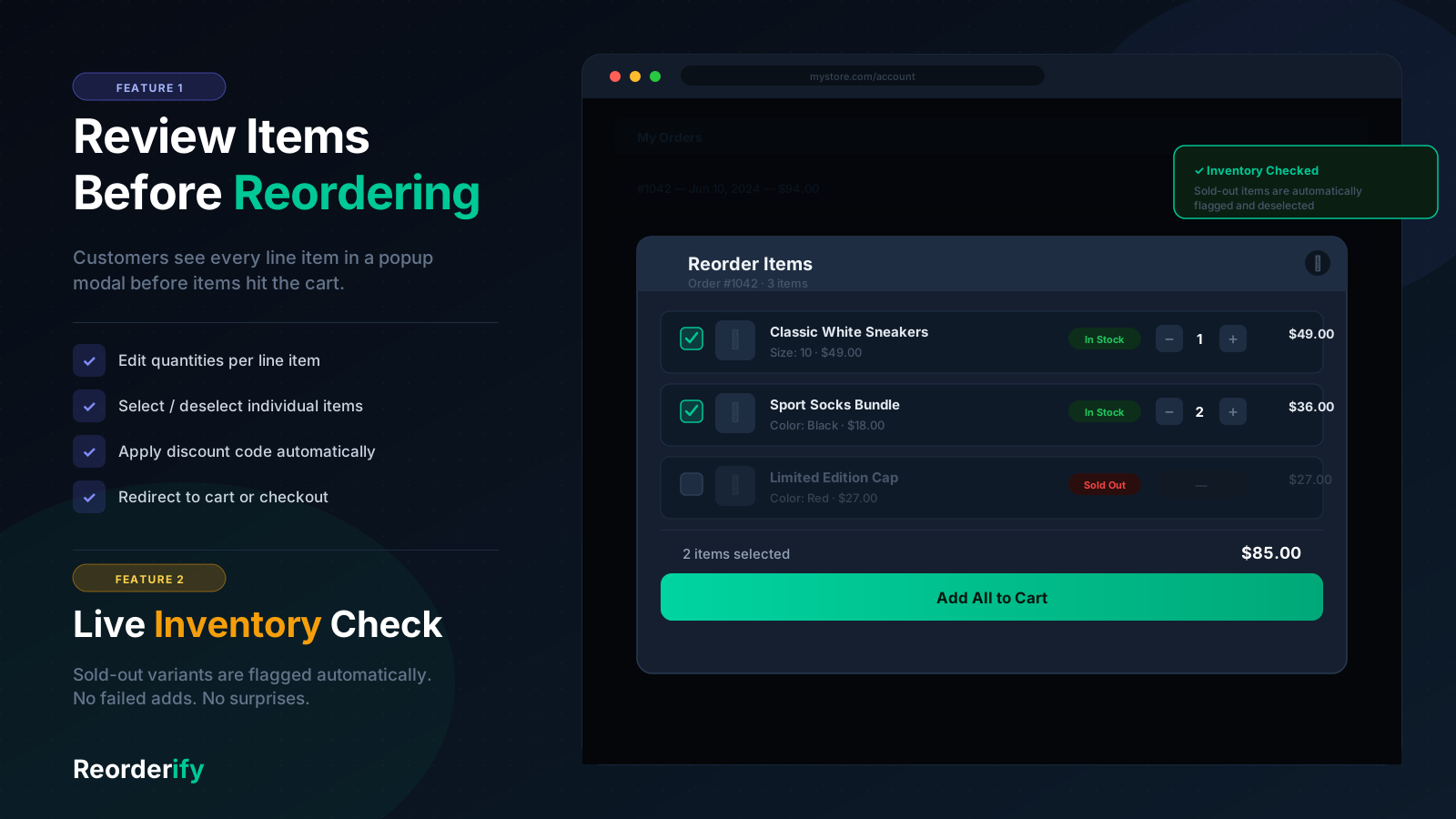
Reorderify review modal with available and sold-out items
Review before checkout

Review mode shows line items, quantities, sold-out status, and individual Add to Cart buttons.
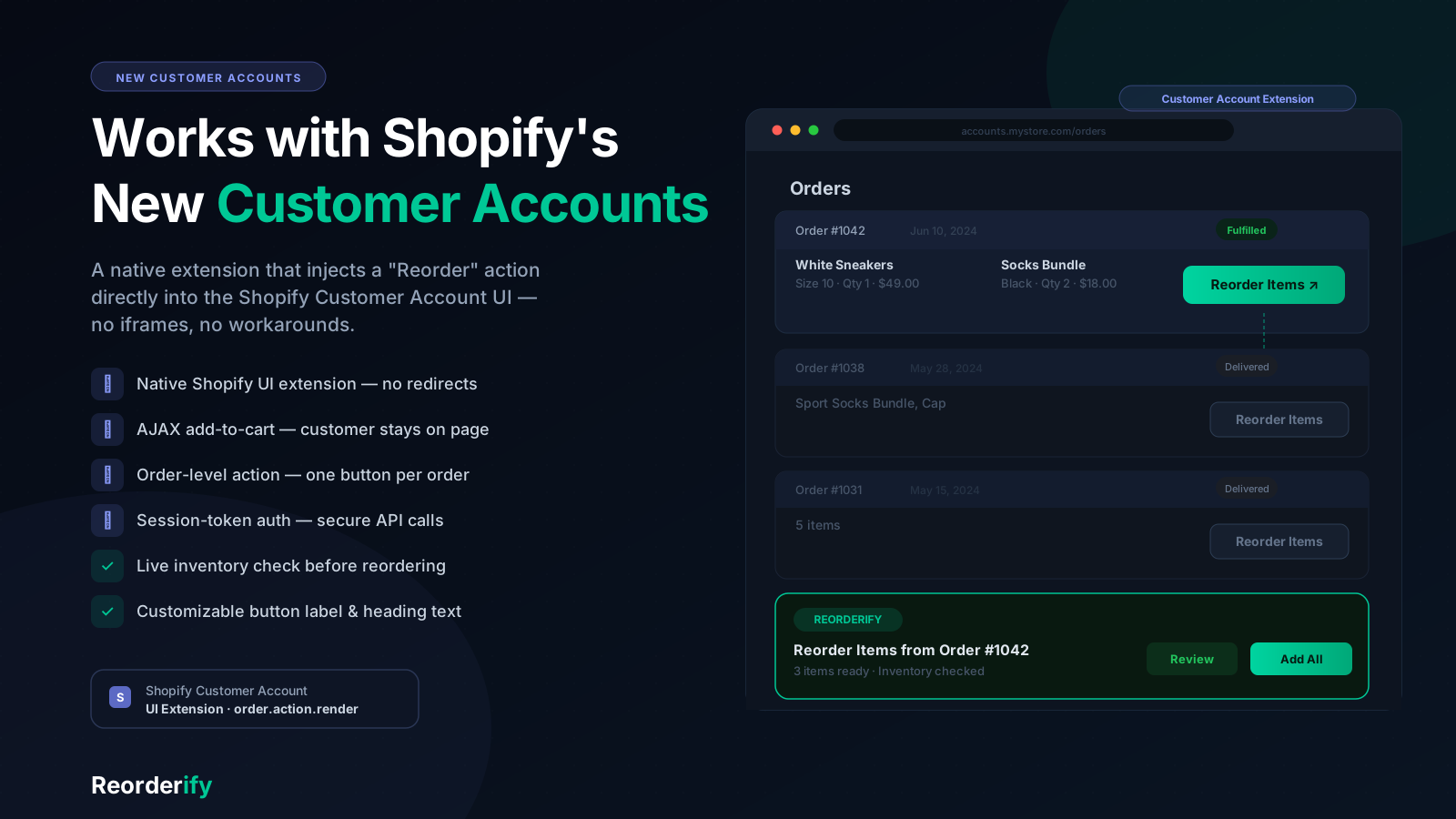
Reorderify on Shopify New Customer Accounts order status
New Customer Accounts

Optional Checkout editor blocks for order status and thank-you pages on New Customer Accounts.
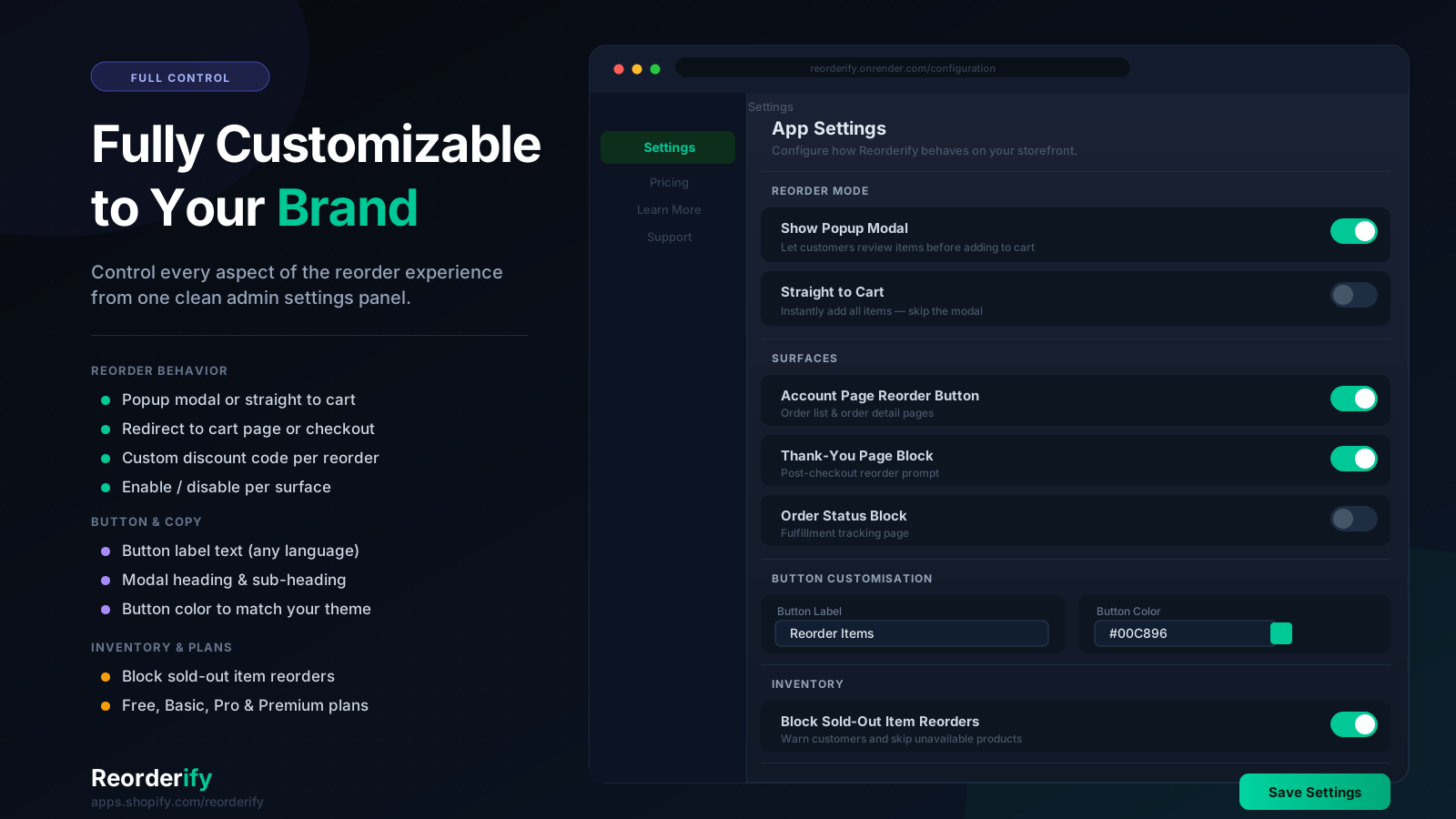
Reorderify app settings in Shopify admin
Merchant settings

Choose reorder mode, button labels, discount codes, inventory behavior, and display options in one place.

How to Set Up

1
Install

Install Reorderify from the Shopify App Store and open the app dashboard.

2
Activate

Go to Settings and turn on Reorderify Status. Choose one-click or review reorder mode.

3
Enable App Embed

In Theme Editor → App embeds, toggle on Reorderify and save your theme.

4
Test

Log in as a customer, open order history, and click Reorder to confirm everything works.

What Merchants Say

“Fantastic support and an essential app! After migrating to Shopify, our legacy orders weren't working properly. The Reorderify team stepped in and resolved the issue within 24 hours. Everything is working flawlessly now.”

— 5-star review on the Shopify App Store, July 2026

Frequently Asked Questions

Reorderify adds a Reorder button on customer account order pages (and optionally on order detail and thank-you pages). Choose one-click reorder to add all available items and go to checkout, or review mode to show a popup where customers edit quantities, add individual items, and see sold-out lines before proceeding.
No theme code editing is required. After installing, activate Reorderify in app Settings and enable the Reorderify app embed once in your Theme Editor (App embeds). For New Customer Accounts, optional blocks can be added in the Checkout editor.
Reorderify includes a 7-day free trial, then $3.99/month. Visit the Shopify App Store listing for the most current pricing.
Reorderify works with all Shopify plans — Basic, Shopify, Advanced, and Shopify Plus.
Yes. Classic customer accounts use the Theme App Extension on order list and order detail pages. For New Customer Accounts, Reorderify offers optional blocks in the Checkout editor for order status and thank-you pages.
Yes. If you migrated orders from another platform, Reorderify can resolve products using SKU lookup when historical line items do not have variant links — common after Cart2Cart and similar imports. Read our migration guide.
In review mode, sold-out items are shown separately and customers can still reorder available items. In one-click mode, unavailable items are skipped automatically and the customer proceeds with what is in stock.
Yes. In review mode, enable individual Add to Cart in Settings so customers can add single line items from the reorder popup. The cart drawer updates on standard Shopify themes automatically.
Yes. Customize button labels, colors, and spacing in Reorderify Settings. For advanced theme integration (custom cart drawers), contact us at sbtdreams@gmail.com.
No. Reorderify uses a Theme App Extension (app embed) and does not edit your theme's Liquid files. You can disable the embed or uninstall the app at any time without leftover code.

Ready to Increase Repeat Orders?

Start your 7-day free trial — setup takes minutes with the Theme App Extension.

Start Free Trial

Also by SBTDreams

© All Rights Reserved By SBTDreams