You migrated to Shopify, imported years of order history, installed a reorder app — and customers report that old orders show Sold Out even though the products are active and in stock. Native Shopify orders reorder fine. Sound familiar?
This is one of the most common post-migration issues for B2B and consumables stores. The good news: it's fixable, and you don't need to re-import your data.
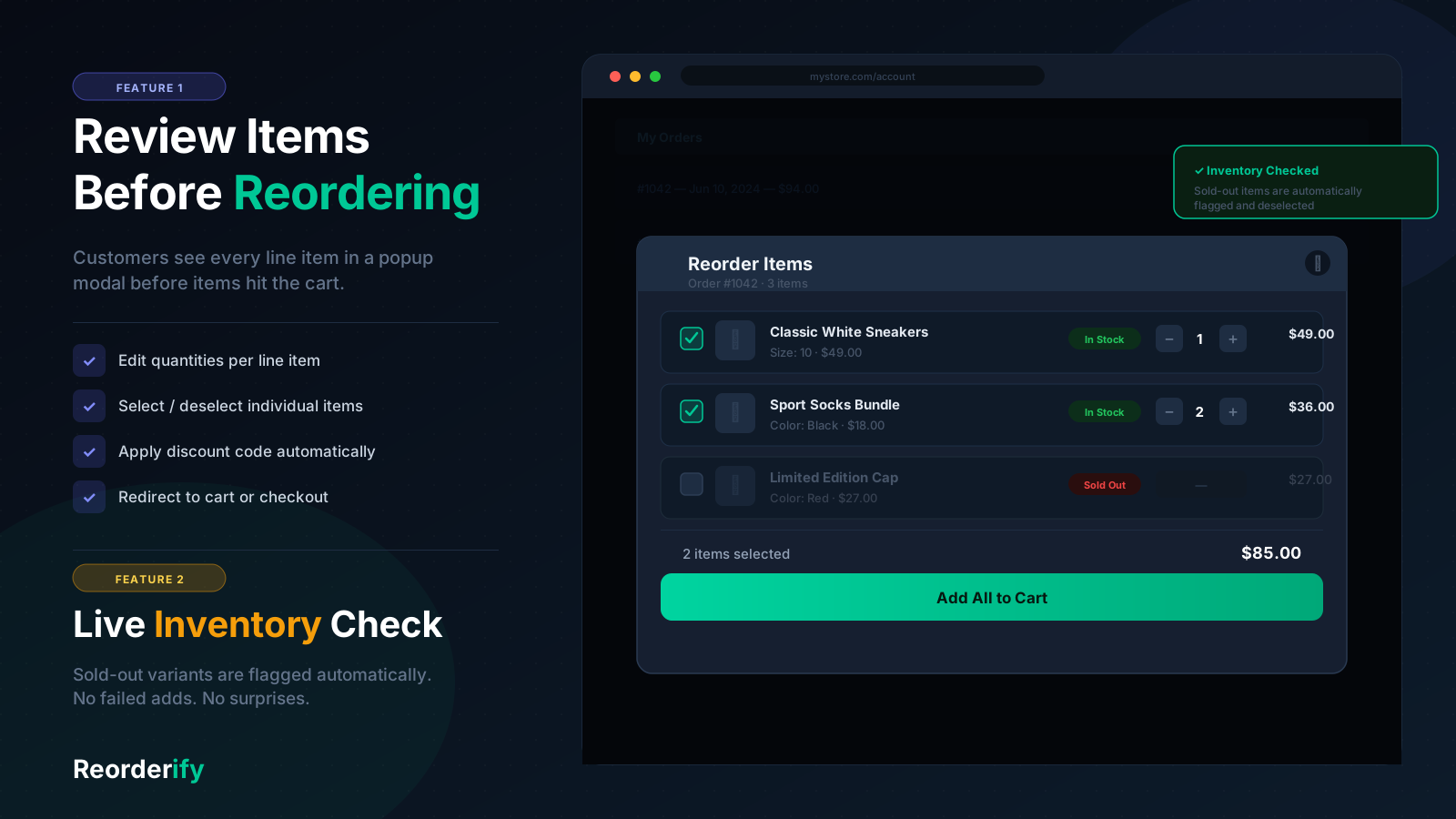
Review mode shows which legacy line items are available vs sold out after SKU lookup.
Why Migrated Orders Break Reorder
When you import orders via Cart2Cart, Matrixify, or similar tools, historical line items often arrive with SKU and title only — no link to the Shopify product variant ID. Shopify's customer account pages and basic reorder logic expect each line item to reference a live variant.
Orders placed natively on Shopify after migration work because Shopify created proper variant links at checkout. Imported orders do not.
Symptom: Reorder on order #75308 shows "Sold Out" or "Reorder via Phone/Email" for SKUs that are active in Admin with inventory. Reorder on a new Shopify order works perfectly.
The Fix: SKU-Based Product Lookup
Reorderify detects when a reorder line item has a SKU but no variant link, then looks up the live product in your catalog using Shopify's Admin API (productVariants(query: "sku:XXX")). When a match is found, the reorder modal shows the correct price, image, and an Add to Cart button.
No merchant configuration is required — it runs automatically when a customer opens the reorder popup on an affected order.
Setup Checklist for Migrated Stores
- Install Reorderify and activate Reorderify Status in Settings.
- Enable the Reorderify app embed in Theme Editor → App embeds.
- Use Review items before checkout mode so customers see availability per line.
- Ensure imported line items retained their SKU values (required for lookup).
- Test reorder on an old imported order and a new native order side by side.
What If SKU Lookup Still Fails?
SKU lookup fails when:
- The SKU on the imported order doesn't match any variant in your current catalog
- The product was deleted or merged after migration
- SKU was blank on the imported line item
In review mode you can customize the sold-out message (e.g. "Reorder via Phone/Email") in Reorderify Settings so customers know how to order items that can't be matched automatically.
Cart Drawer After Individual Add to Cart
If customers use individual Add to Cart in the review popup, Reorderify refreshes the cart drawer on standard Shopify themes. Custom themes (Symmetry, Enterprise, etc.) are supported via the theme's native cart refresh or Reorderify's reorderify:cart:add integration hook.
Get Legacy Reorders Working on Your Store
7-day free trial · $3.99/month · Responsive support for migration issues.
Start Free Trial →Merchant Feedback
"After migrating to Shopify, our legacy orders weren't working properly. The Reorderify team stepped in and resolved the issue within 24 hours. Everything is working flawlessly now." — 5-star Shopify App Store review, July 2026