Searching for a Shopify delivery date picker for food usually means you sell perishables, cakes, meal kits, catering trays, or grocery boxes — and “leave a note for delivery day” is already failing your team.
This guide shows how food merchants set up a real cart calendar: required dates, time slots for van runs or kitchen waves, cutoffs, blocked closed days, and (when needed) separate local delivery vs store pickup. The product we use in the examples is Order Delivery Date Lite — a Shopify delivery date app built for exactly these stores.
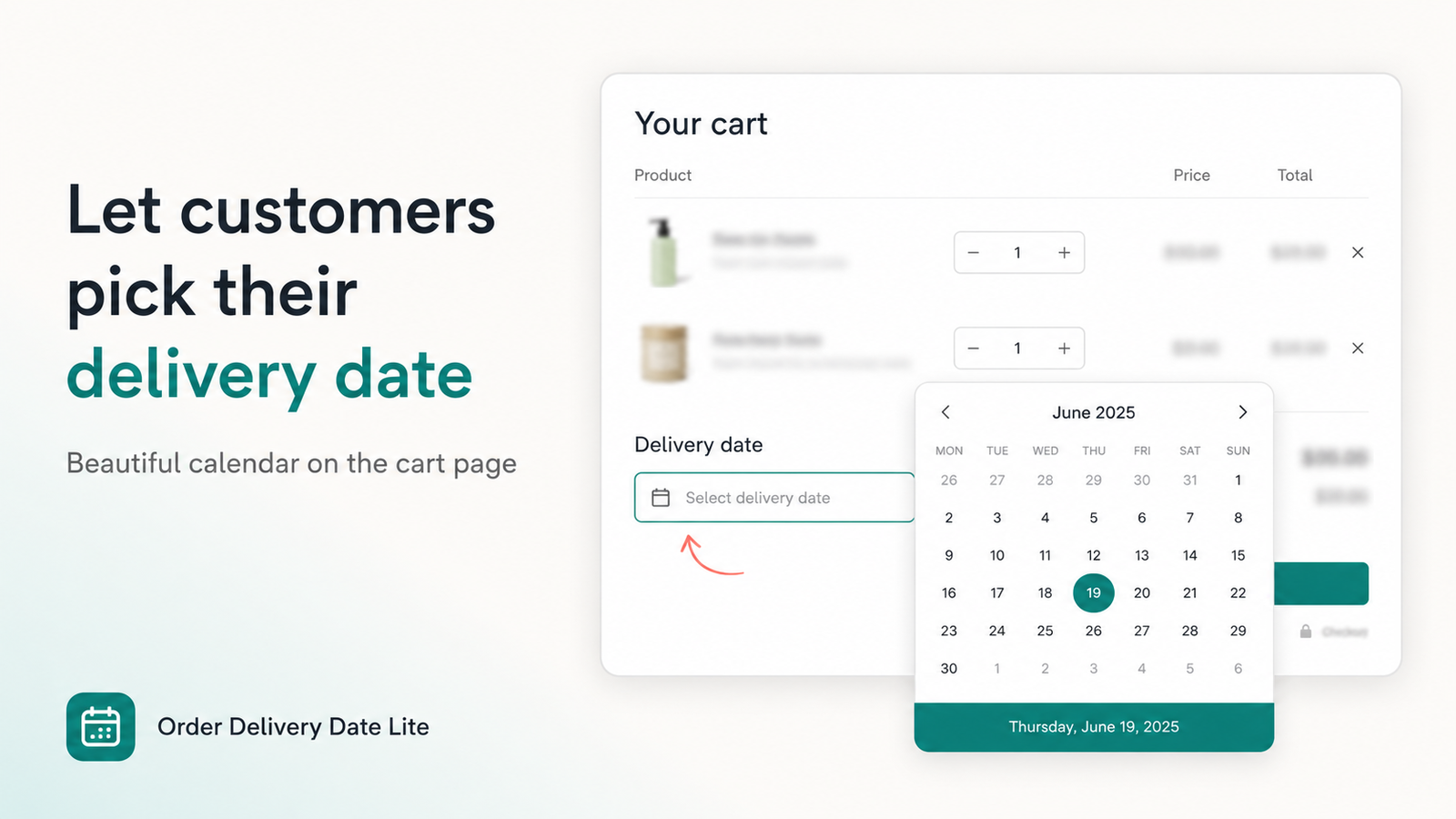
Why food Shopify stores need a delivery date picker
Food fulfillment is date-sensitive in a way apparel is not:
- Perishables & cold chain — grocery and meal kits need a known day so vans and fridge space match demand.
- Prep time — bakeries and cake shops cannot invent capacity for “tomorrow” when dough and decoration need 48 hours.
- Kitchen waves — restaurants and catering need lunch/dinner slots, not vague ASAP notes.
- Customer expectation — shoppers already see date pickers on grocery apps; a Shopify cart without one feels unfinished.
A structured delivery date picker for food stores writes the day (and optional time) onto the order before payment, so packing desks and drivers stop hunting through notes.
What to look for in a Shopify delivery date picker for food
When you compare App Store listings (the same SERP that shows Flare, Pickeasy, and similar apps), prioritize features food merchants actually use:
| Need | Why it matters for food |
|---|---|
| Cart calendar + time slots | Align with delivery runs or kitchen capacity |
| Blocked weekdays & holidays | No Sunday bakery / closed grocery days |
| Cutoff times | Close same-day when the van or kitchen is full |
| Required date | Stop orders without a delivery day |
| Cart drawer support | Mobile food shoppers rarely open the full cart page |
| Local delivery / pickup methods | Different rules for home drop-off vs click-and-collect |
| Orders dashboard | See today’s and upcoming food deliveries at a glance |
Order Delivery Date Lite covers cart calendar and slots on Basic ($4.99/mo), and Pro ($9.99/mo) adds method-specific schedules, dashboard, and Plus checkout calendar. Free for development stores; 7-day trial on paid plans. Rated 4.2★ on the Shopify App Store.
5-step setup for food merchants
- Install & activate — Install from the App Store, set Status to Active under Settings → Cart, enable the theme app embed or cart block.
- Block closed days — Disable weekdays you never deliver (e.g. Sundays) and add holiday blocked dates.
- Add a cutoff — Example: same-day grocery slots close at 11:00 AM; cake orders need a 48-hour lead.
- Configure time slots — Morning/afternoon for vans, or lunch/dinner for catering. Keep labels customer-friendly (“9–12 delivery”).
- Require the date — Turn on required date (and time if needed) plus checkout validation so food orders cannot pay without a selection.
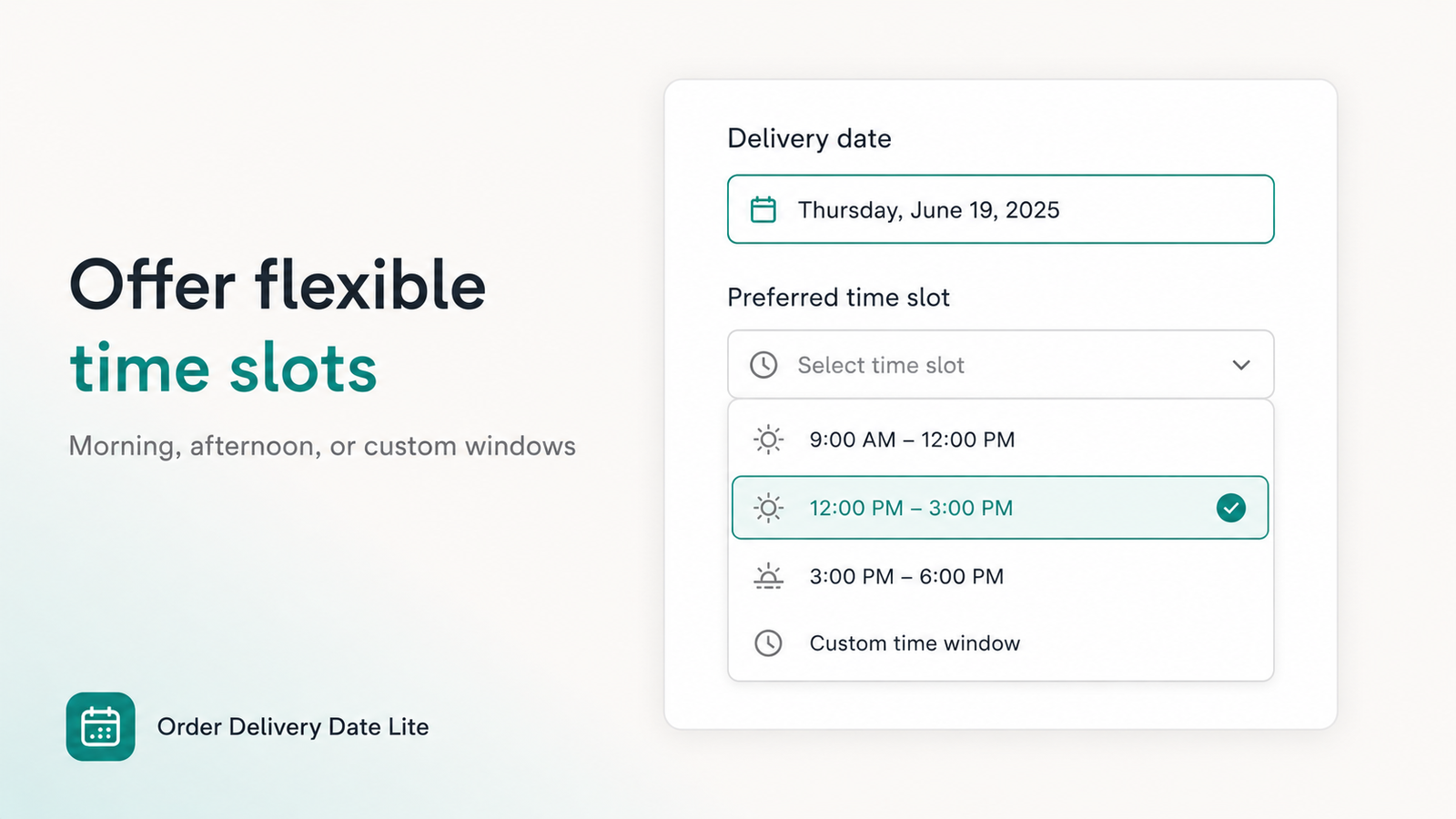
Pro tip for food brands: Start with weekday blocks + one cutoff + required date. Add fancy multi-method calendars only after the cart calendar is stable — fewer support tickets.
Recommended setup by food store type
Grocery & meal kits
Use multi-window time slots that match delivery runs. Cut off same-day when the route is full. On Pro, unlock the calendar only for valid local-delivery postal codes.
Time slots Cutoff Zip / local delivery Dashboard
Bakeries & cake shops
Enforce lead time so custom cakes are not promised for tomorrow. Separate store pickup vs local delivery calendars on Pro. Block production-closed days.
Lead time Pickup vs delivery Blocked days
Restaurants & catering
Map slots to kitchen waves. Cut off before peak service. Prefer pickup vs delivery as separate methods so catering trays do not collide with walk-in pickup.
Kitchen slots Cutoff Pickup / delivery
Florists & gift food (chocolates, hampers)
Occasion dates matter. Block holidays wholesale cannot support, require a date, and show the selection on thank-you / order email.
Blocked holidays Required date Thank-you display
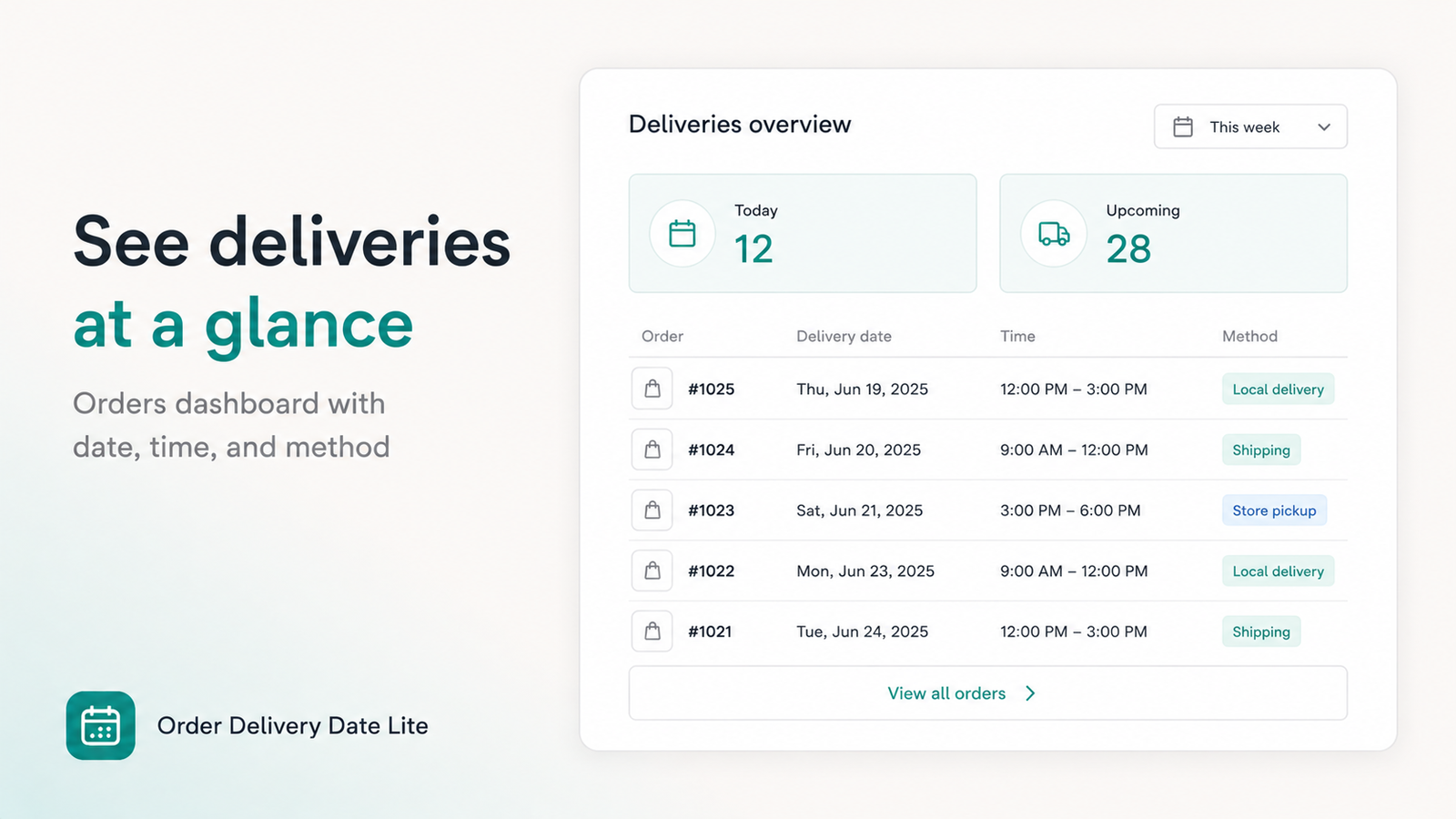
For florists, pharmacies, pet food, and more verticals, see our longer merchant setup guide.
Delivery date picker vs cart notes
- Notes — free text, easy to miss, no validation, no blocked days.
- Date picker — structured field on the order, required before checkout, respects capacity rules.
If you are still comparing tools, read how to add a delivery date picker to Shopify for a full how-to. For Plus checkout calendars, see checkout delivery calendar on Plus.
Frequently Asked Questions
What is the best Shopify delivery date picker for food stores?
Choose an app with cart calendar, time slots, blocked days, cutoffs, and optional local delivery / pickup schedules. Order Delivery Date Lite is built for grocery, bakery, florist, and restaurant merchants.
Why do food Shopify stores need a delivery date picker?
Perishables, cold-chain routes, cake prep, and catering all depend on a specific day (and often a time window). Order notes get missed; a required picker saves the selection before checkout.
Can I set delivery time slots for grocery and restaurants?
Yes. Configure custom slots that match van runs or kitchen waves, and use cutoffs so same-day options close when capacity is full.
How much does Order Delivery Date Lite cost?
Free for development stores. Basic $4.99/month; Pro $9.99/month. Both paid plans include a 7-day free trial.
Add a food-ready delivery calendar today
Cart date picker, time slots, cutoffs, and drawers — priced for growing food and grocery Shopify stores.
Install Order Delivery Date Lite →