If you are searching for Shopify local delivery setup, you already know zones and rates are only half the job. Customers still need to tell you which day (and often which window) they want the order — otherwise your van runs on guesswork and order notes.
This guide walks through the full merchant workflow: enable Shopify Local Delivery, then add a cart delivery calendar, time slots, daily cutoffs, and blocked holidays. The scheduling examples use Order Delivery Date Lite — a delivery date app built for local florists, bakeries, grocery, pharmacies, and meal kits.
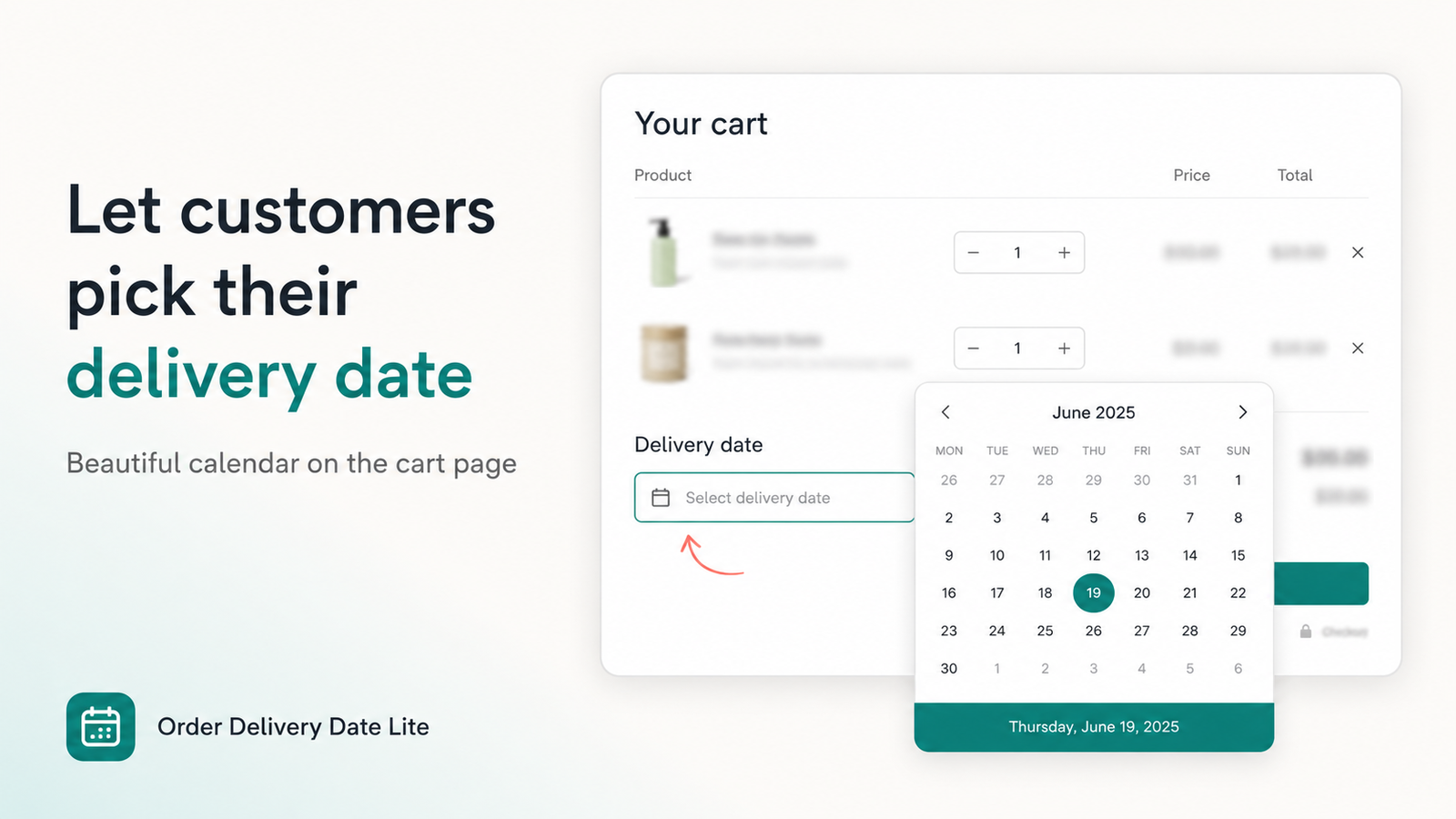
Why Shopify Local Delivery still needs a delivery date picker
Shopify Local Delivery answers where you deliver and how much you charge. It does not fully replace a structured when:
- Zones & rates — postal codes or radius, price per order or weight.
- Delivery day — still missing unless you add a calendar or rely on messy order notes.
- Time windows — van runs (9–12, 12–3) need slots, not “afternoon please.”
- Capacity — cutoffs and blocked holidays stop overbooking on peak days.
Think of Local Delivery as the shipping method, and a date picker as the scheduling layer on top. Together they turn “we deliver nearby” into a plan your packing desk can run.
Who this is for: grocery and farm boxes, florists, bakeries, pharmacies, pet food, meal kits, and any store with a van or courier covering a city radius — not long-haul carriers.
Enable Shopify Local Delivery (admin steps)
Do this in Shopify before installing any date app so checkout can offer Local delivery as a shipping option.
1. Confirm locations and inventory
Local delivery is tied to a location. In Settings → Locations, make sure the warehouse or store that fulfills local orders is active and stocked. If inventory lives at the wrong location, rates will not show at checkout.
2. Open Local delivery settings
Go to Settings → Shipping and delivery. Under the location you use for local orders, find Local delivery and turn it on.
3. Define your delivery area
Choose how you define the zone:
- Postal / ZIP codes — best for city neighborhoods and clear boundaries.
- Delivery radius — useful when you cover a simple circle around the store.
Start tight. Expanding later is easier than refunding failed long-distance “local” orders.
4. Set rates and messaging
Add at least one rate (flat fee, free over a minimum, or price based on order total). Write a short customer-facing description such as “Same-city van delivery — choose your date at cart.” Publish the profile so Local delivery appears when the address is in-zone.
At this point Shopify can charge for local delivery — but customers still have no reliable place to pick a day. That is the next layer.
Add delivery dates, time slots, cutoffs & blocked days
Install Order Delivery Date Lite from the Shopify App Store (Free on development stores; Basic $4.99/mo and Pro $9.99/mo with a 7-day trial). Then complete these steps.
5. Show a calendar on cart (and drawers)
- Set app Status to Active under Settings → Cart.
- Enable the theme app embed or cart block so the picker appears without editing theme code.
- Confirm the calendar shows on the full cart page and, if you use a drawer, that the drawer layout is supported.
Customers should choose a date before checkout so fulfillment sees it on every order.
6. Offer delivery time slots
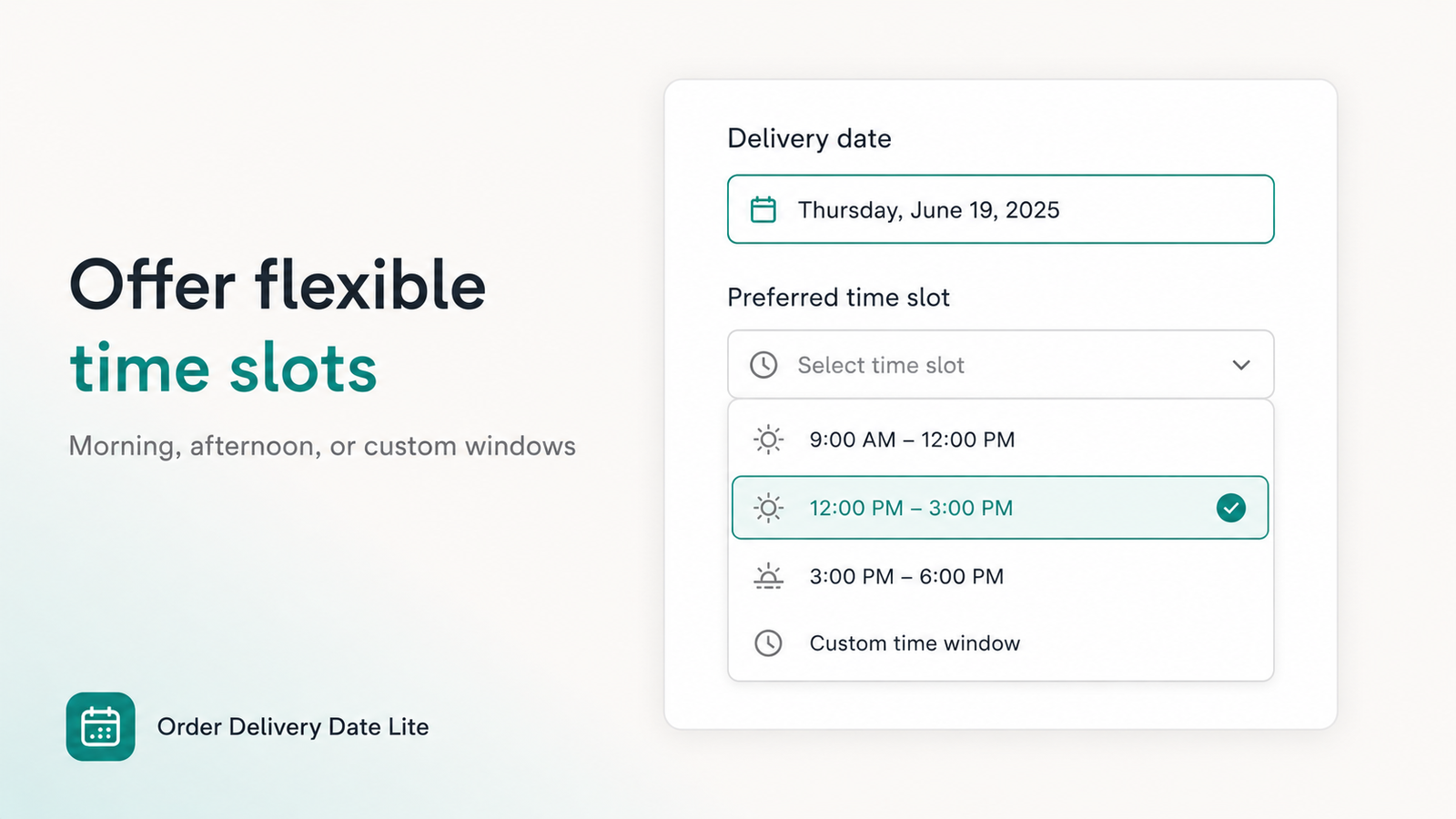
Local routes work best with windows, not open-ended days:
- Use the time slot generator (start time, end time, interval) to create 9–12, 12–3, 3–6 in seconds.
- Set different slots per weekday if Saturday is shorter than Tuesday.
- Make the slot required when drivers need a window to plan the van.
Time slots Per-day schedule Required selection
7. Set a daily cutoff time
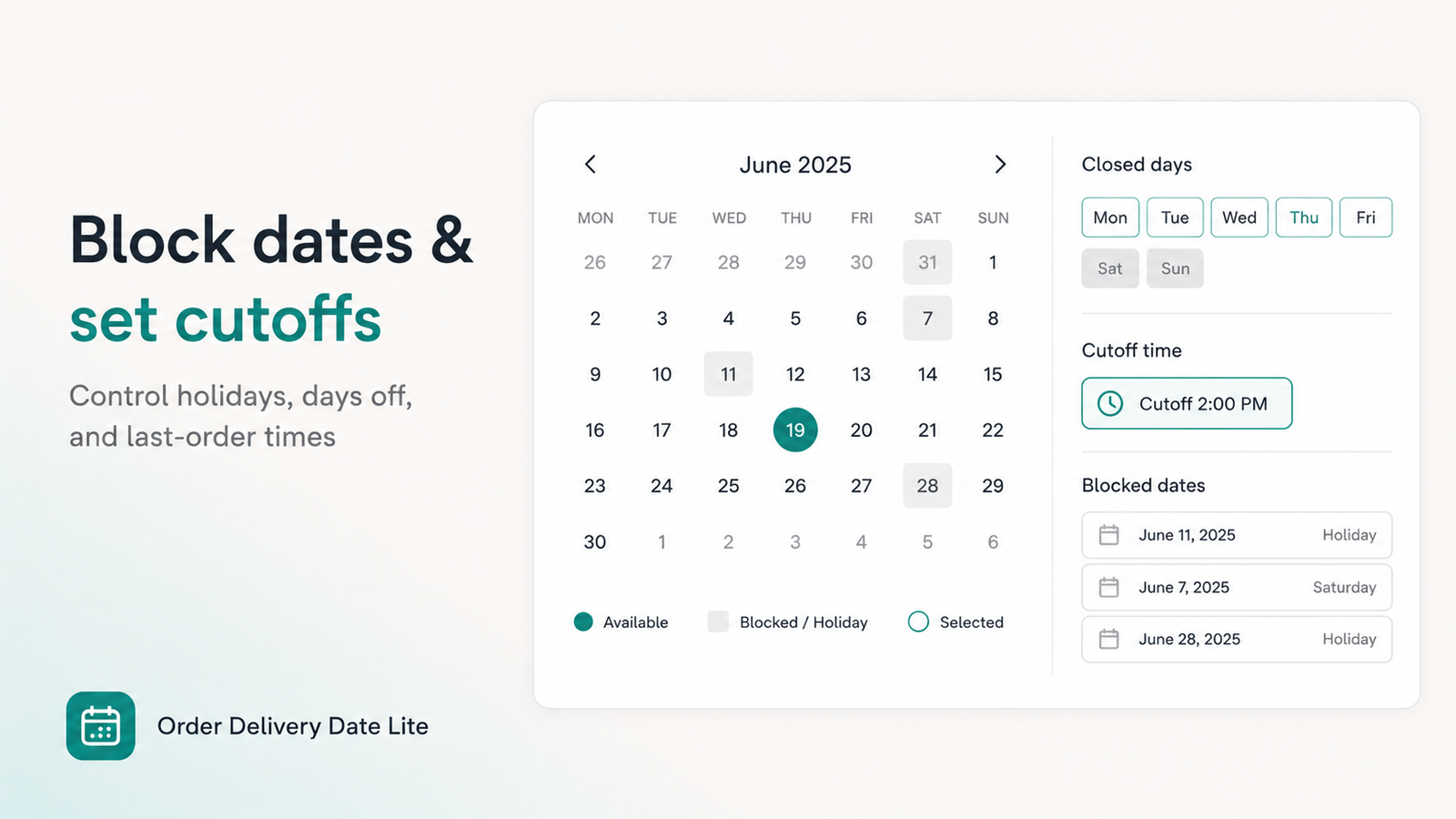
A cutoff blocks same-day (or next available) selection after your prep deadline. Example: grocery same-day closes at 11:00 AM; florist Valentine’s orders need a longer lead. Cutoffs prevent “I ordered at 4 PM for tonight” tickets.
Daily cutoff Lead time
8. Block holidays and closed weekdays
Disable Sundays (or any day you never run), then add specific blocked dates for holidays and staff vacations. Greyed-out calendar days set expectations at cart instead of after payment.
Blocked weekdays Holiday blackouts
Pro tip: Turn on required date (and required time if you use slots) so checkout cannot complete without a selection. For Shopify Plus, add checkout calendar + validation — see our checkout delivery calendar guide.
Local delivery vs shipping vs store pickup
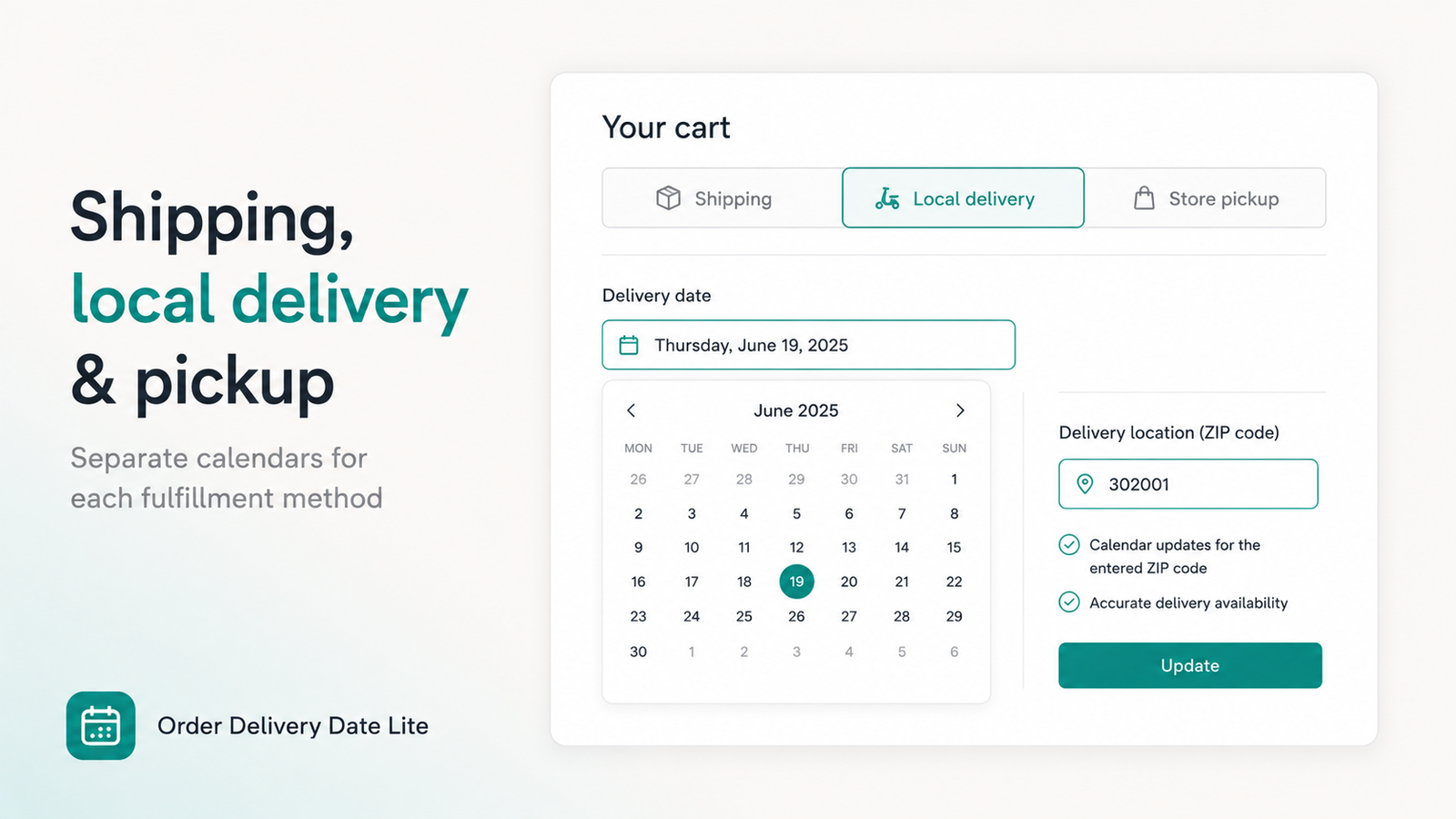
Many stores mix methods. On Pro, Order Delivery Date Lite can keep separate calendars and rules for shipping, local delivery, and store pickup — including zip/location checks so the local calendar only unlocks for valid postal codes.
| Method | What customers choose | Typical rules |
|---|---|---|
| Local delivery | Date + time window | Zone, cutoff, blocked holidays, van slots |
| Store pickup | Pickup date (optional slot) | Store hours, lead time for custom items |
| Shipping | Optional estimated date | Often looser; may hide calendar for carriers |
Bakeries and florists often need pickup vs local delivery as separate schedules so wedding cakes and same-day bouquets do not share one overcrowded calendar.
Go-live checklist for Shopify local delivery
- Local delivery rate appears at checkout for an in-zone test address.
- Rate does not appear for an out-of-zone address.
- Cart calendar shows, blocks closed days, and respects cutoff.
- Time slots match real van or kitchen capacity.
- Required date (and slot) prevent checkout without a selection.
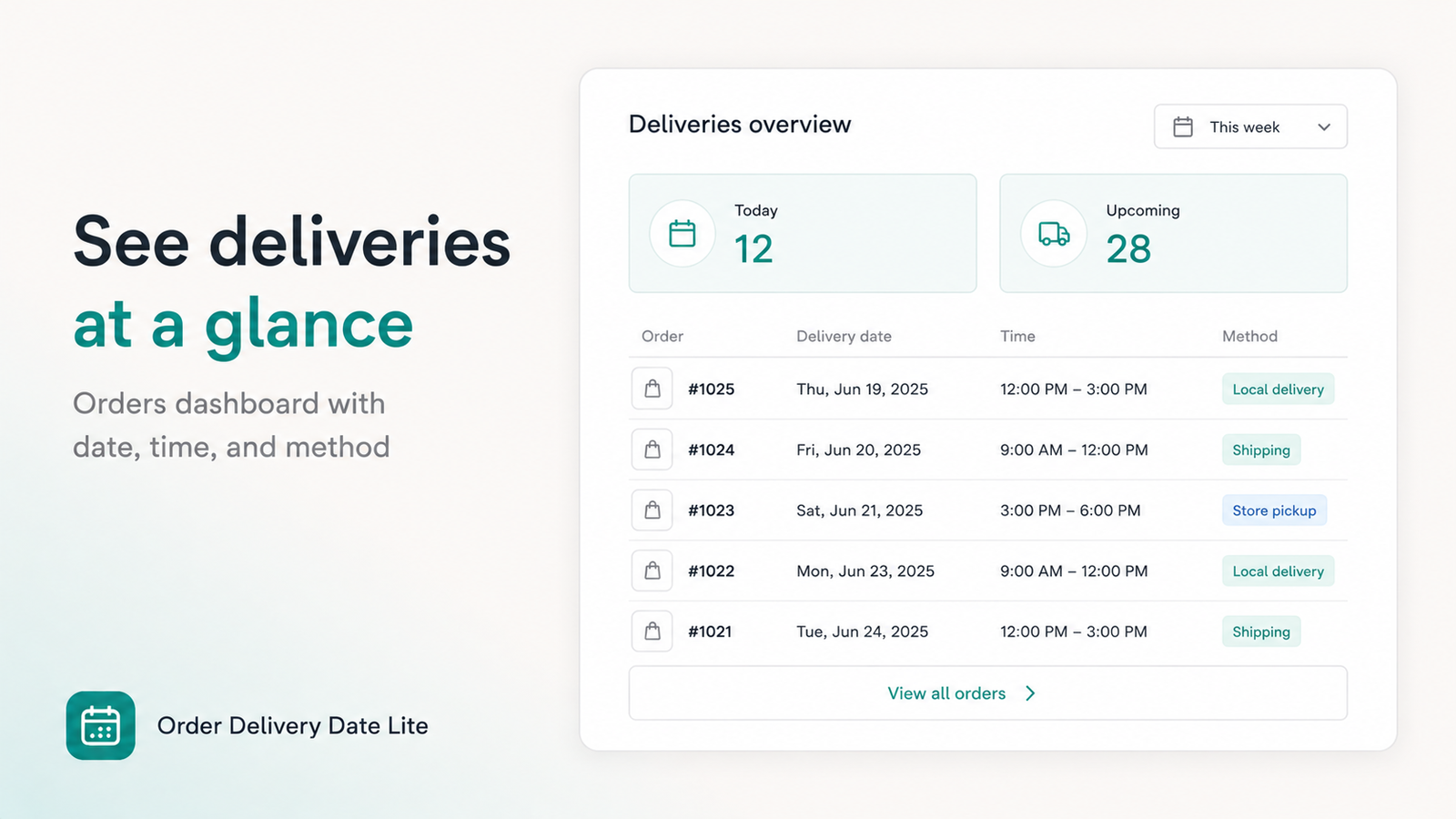
- Delivery date is visible on the order in Shopify admin / app dashboard.
- Mobile cart drawer (if used) still shows the picker.
For food-specific capacity tips, see delivery date picker for food stores. For florist, bakery, pharmacy, and gift setups, see vertical merchant guide. For a general how-to, read how to add a delivery date picker to Shopify.
Frequently Asked Questions
Does Shopify Local Delivery include a delivery date picker?
Shopify Local Delivery covers zones, rates, and basic options. Most merchants still add a cart or checkout calendar so every order stores a clear delivery day and optional time slot.
How do I set up local delivery on Shopify?
Settings → Shipping and delivery → Local delivery: choose a location, define postal codes or radius, add rates, publish. Then install a date picker so customers select a day before checkout.
Can I add time slots and cutoffs for Shopify local delivery?
Yes. Order Delivery Date Lite supports custom windows, per-weekday schedules, and daily cutoffs so same-day closes when capacity is full.
What is the best app for Shopify local delivery dates?
Look for cart calendar, blocked days, cutoffs, time slots, and separate local delivery / pickup rules. Order Delivery Date Lite is built for florists, bakeries, grocery, pharmacies, and other local merchants — Free on development stores; paid plans from $4.99/mo with a 7-day trial.
Add dates to Shopify Local Delivery today
Cart calendar, time slots, cutoffs, and blocked holidays — live in minutes after your zones are set.
Install Order Delivery Date Lite →